2023 - 2024
Product Feature
Allowing architects to optimise workflow through creating and reusing unit templates
CLIENT
Podium
SCOPE
0->1 Feature, Product strategy, UX, UI
ROLE
Senior Product Designer at Podium
Worked with team of product manager and developers
Overview

Architects tend to reuse unit templates across projects to maintain efficiency. The actual process of modifying and selecting units for the best outcome can be very tedious. Podium wants to bridge this gap by answering:
How might we automate the tedious part of the architect's journey for unit templates?
Design Considerations
This is a highly requested feature set by existing and potential Podium customers. Some main considerations:
• Keeping the mental framework across main canvas and this spatial editor mode
• Allowing for seamless navigation in and out of the spatial editor
• Ensure user understands the different levels of hierarchy
Establishing the framework
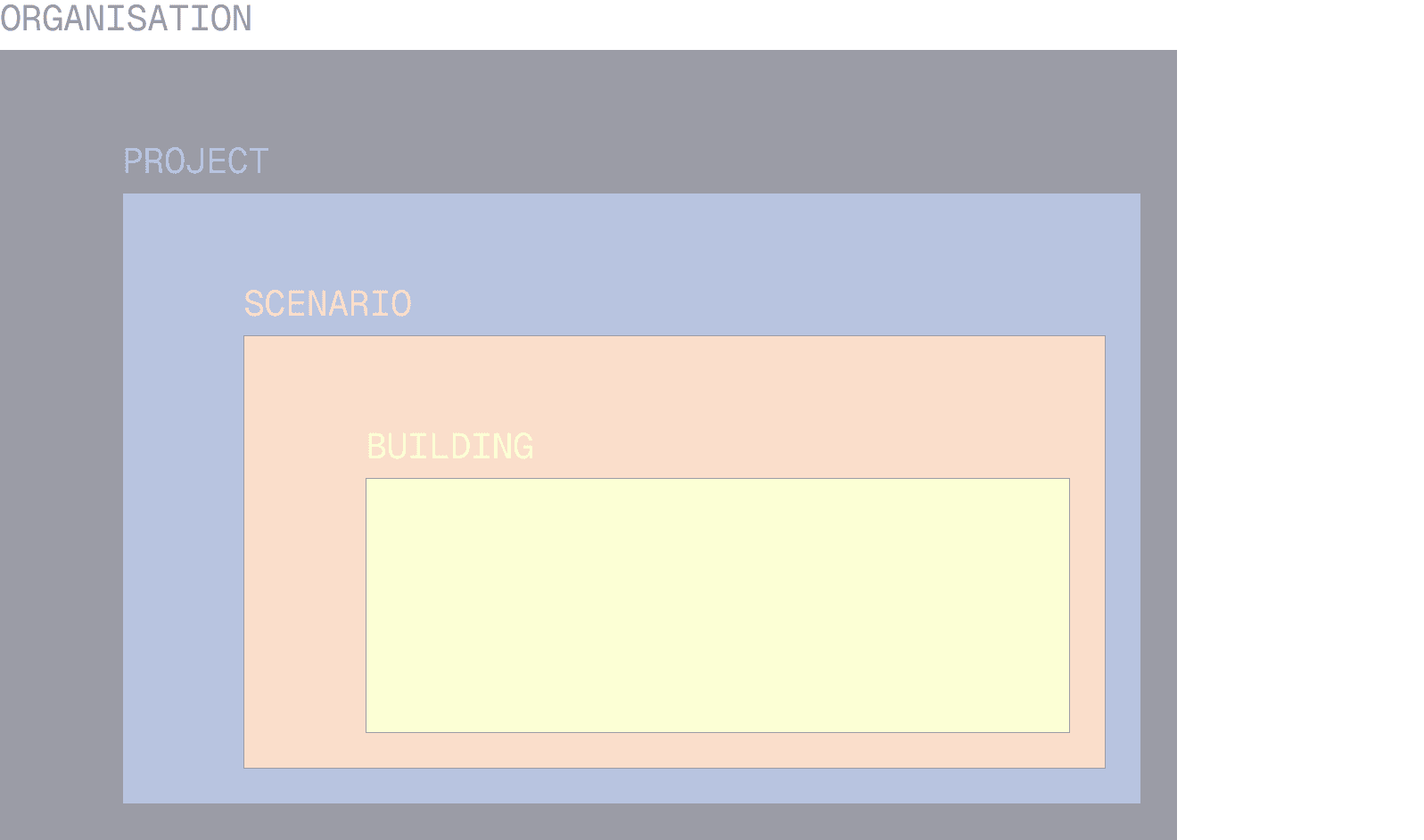
It was important to get the UX architecture right for a feature that cuts through the different hierarchies.
HIERARCHIES CHART
Library Management
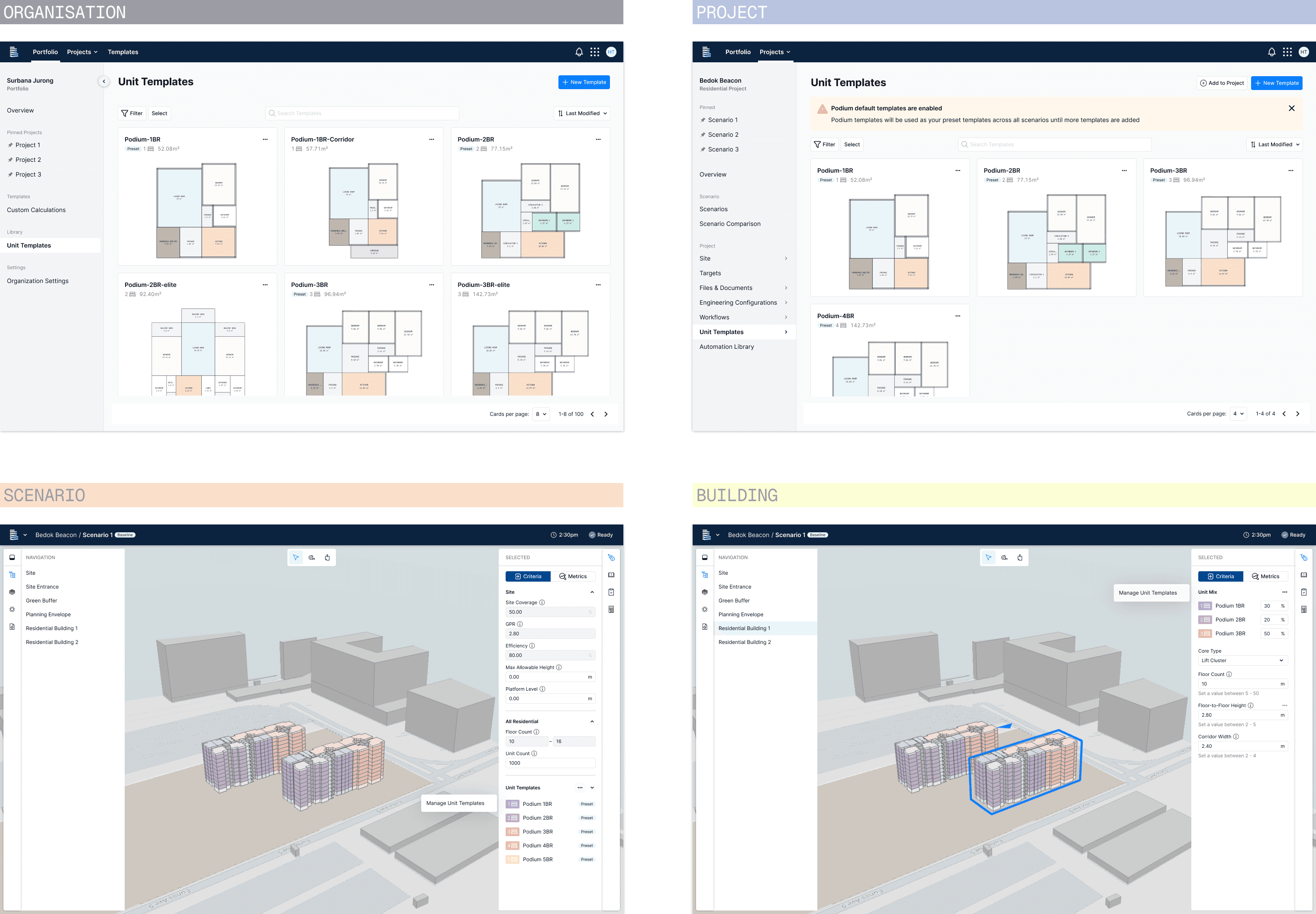
The unit templates need to exist at four different levels of hierarchy:
Organisation –
Project
Scenario
Building
Each level has a predefined role accessibility to cater for the different roles in the organisation.
ENTRY POINTS AT ALL 4 LEVELS
Unit Template Representation
The unit template needs to be represented consistently across the different parts of the platform.
The dialog pattern was proposed as a way for user to quickly access the full library of unit templates from anywhere within the platform. It was designed to reflect the card layout and behavior used in both the organisation and project libraries. This allows user to recognise the unit templates quickly, and maintain interaction consistency.
REPRESENTATIONS
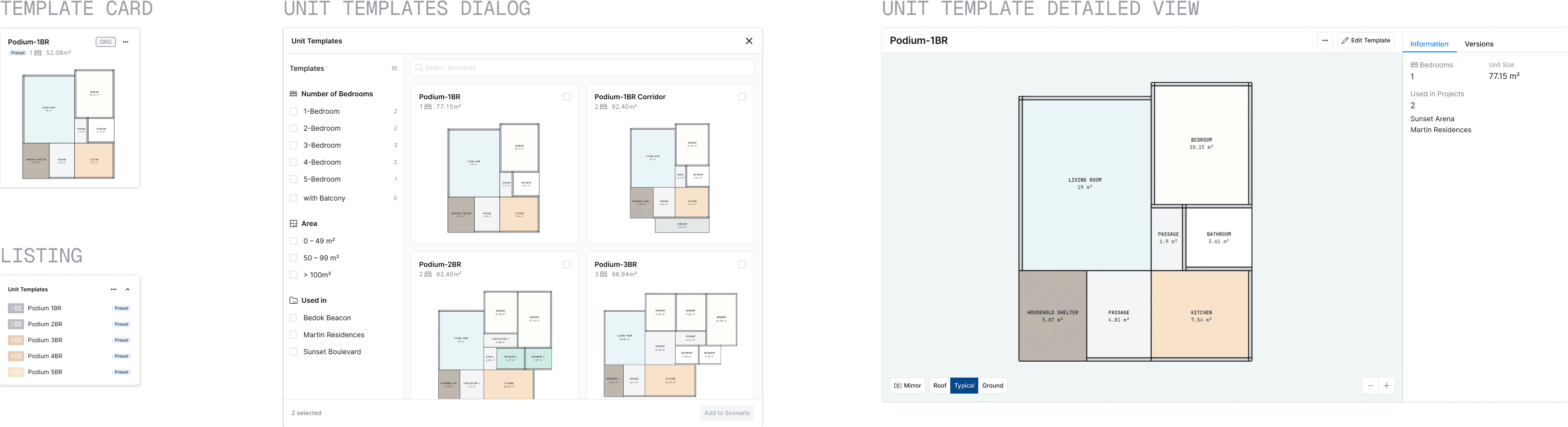
UNIT TEMPLATE CARD:
VIEW, SELECT, EDIT
Key Flows
These are some key flows for managing the unit templates:
ADDING TEMPLATE TO SCENARIO
CREATE NEW TEMPLATE
Editing
An important part of this feature is to allow user to make quick edits to the unit template, and allow for the saving to affect the relevant hierarchies.
EDITING SCREENS
—-
Looking forward
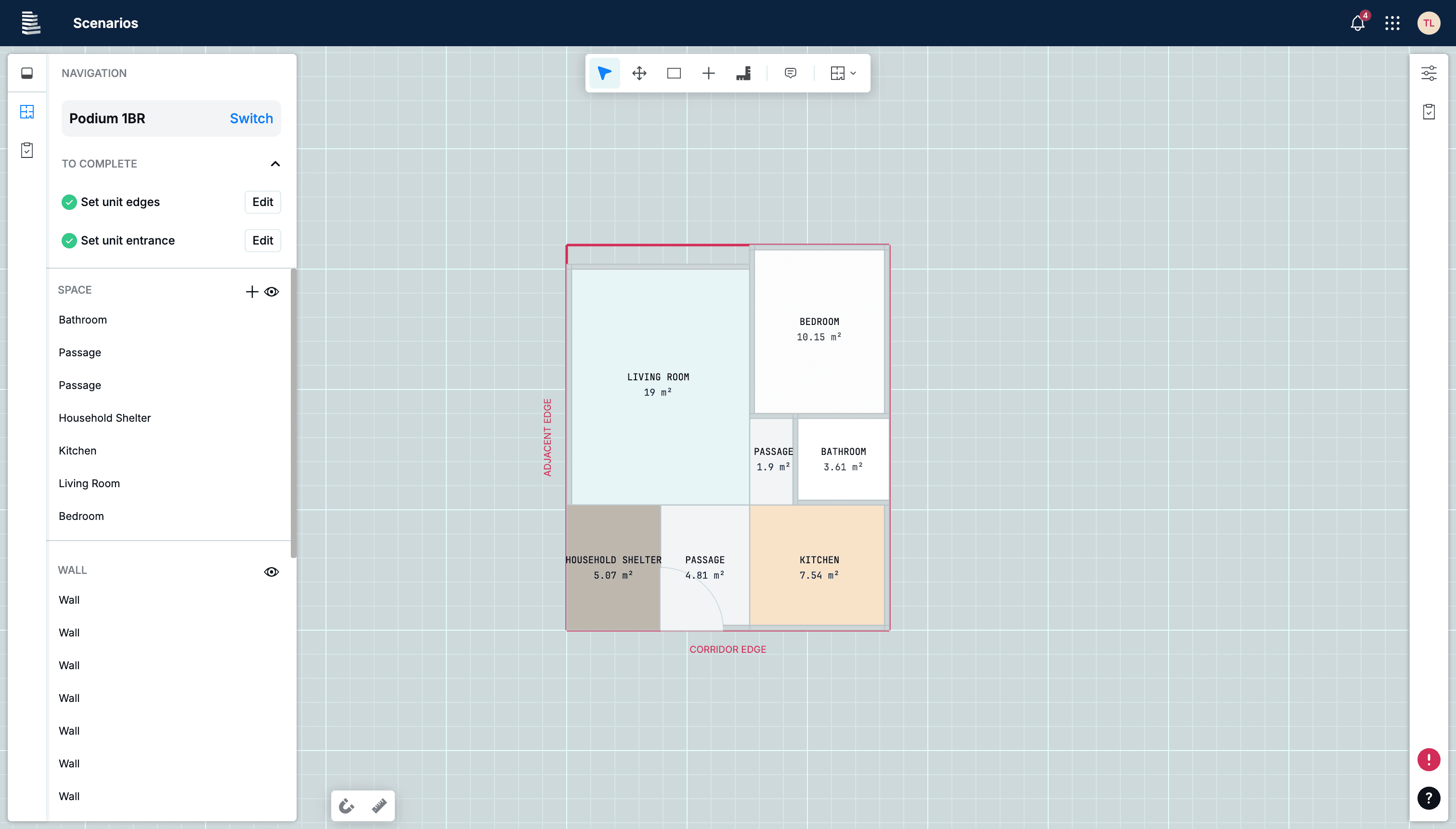
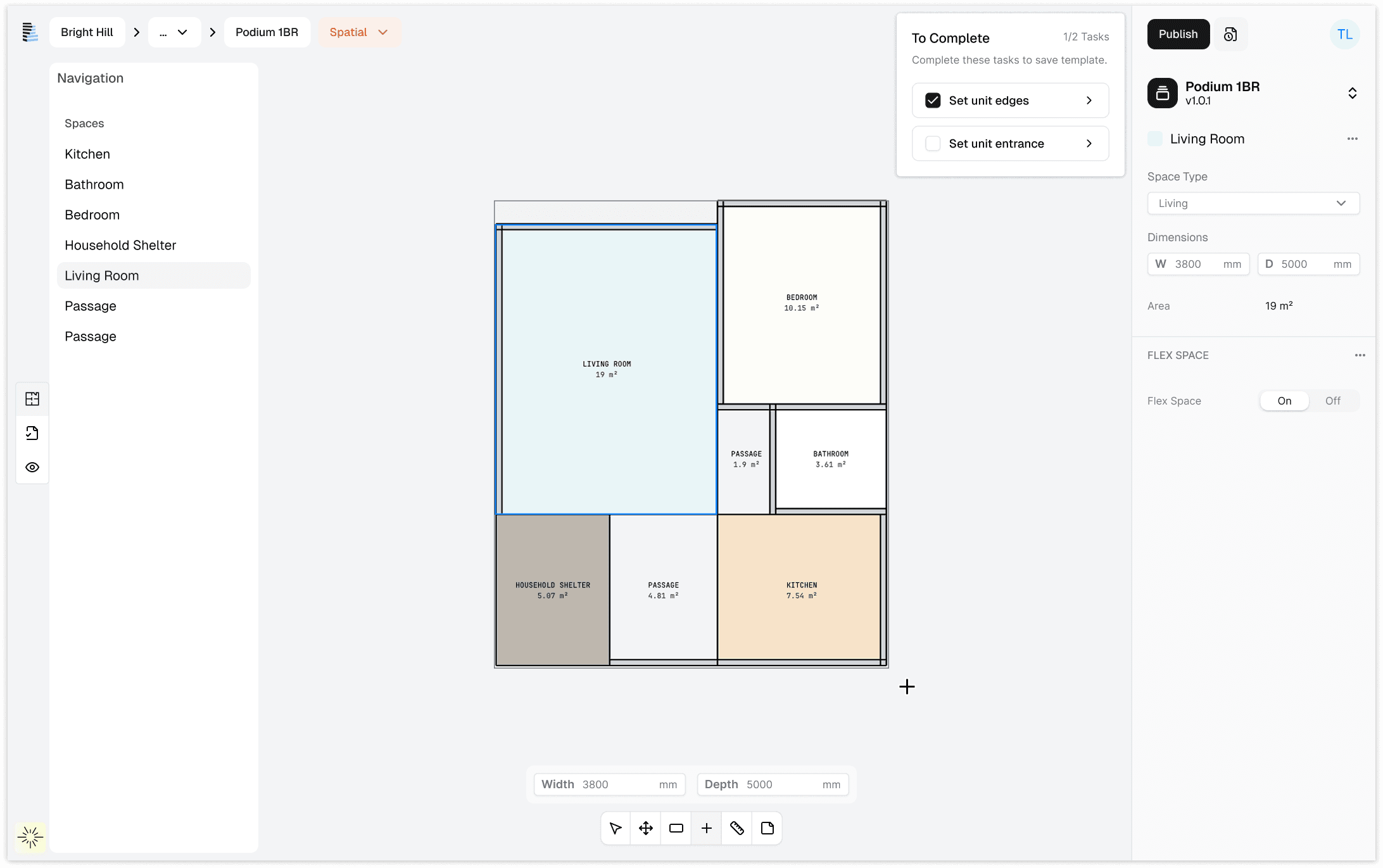
As this is an evolving feature, I am constantly iterating on it to improve its usability and look for our customers.
This is a glimpse of the latest user interface, designed to be aligned with the new design system and UI v3.0.
CURRENT INTERFACE
PROPOSED INTERFACE
Outcome
This became a key feature as part of customer POC & Onboarding. It greatly incentivises the customers to use our platform when their organisation's customised templates are made available.
Learnings
It is key to establish upfront.