2023 - 2024
Product Feature
Designing a system for architects to build and reuse unit templates across complex hierarchies
CLIENT
Podium
SCOPE
0→1 Feature, Product strategy, design
ROLE
Sole Product Designer on this project,
Collaborated with team of product manager and developers
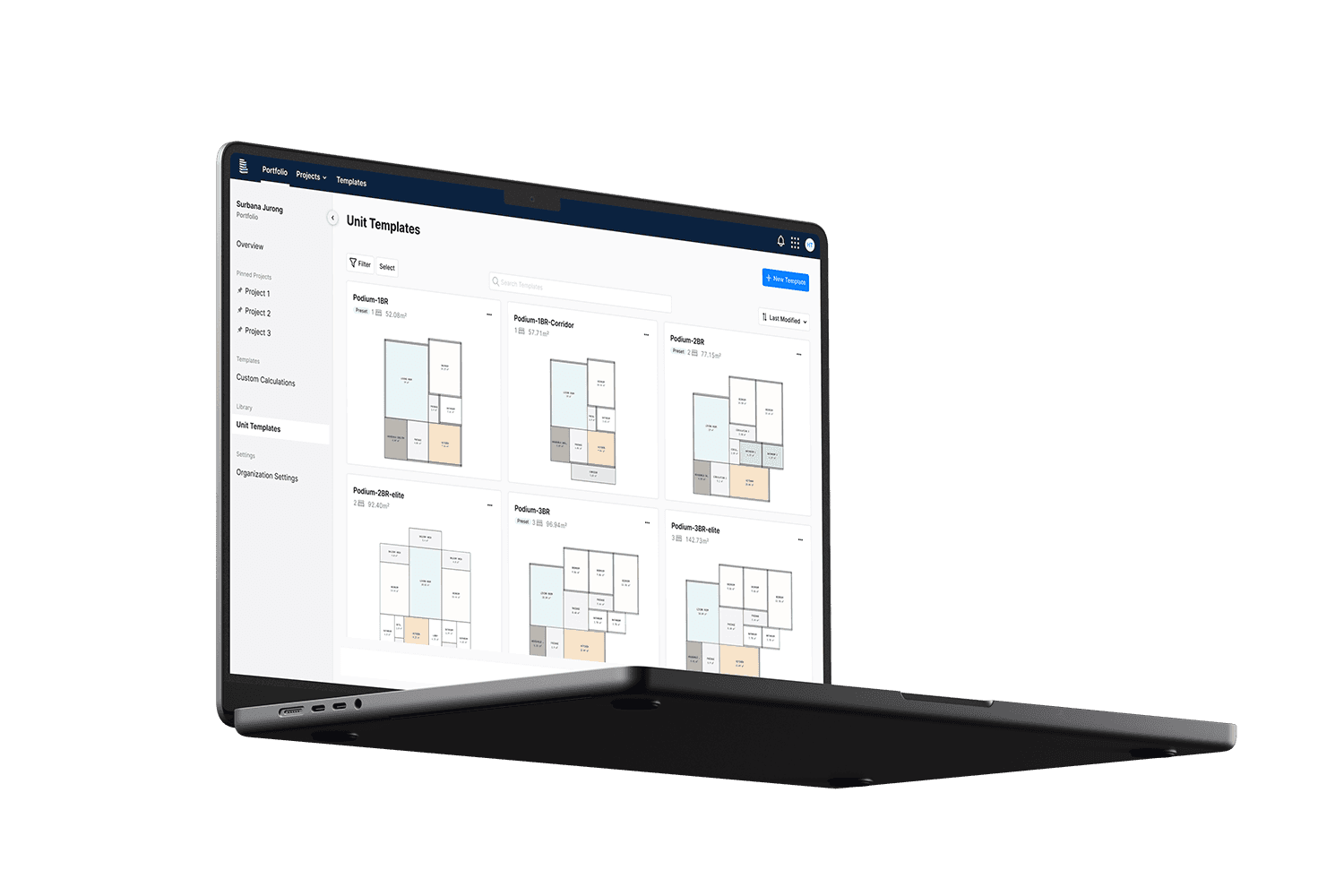
Overview
FREEPIK STOCK
Architects reuse unit templates across building projects to maintain efficiency, but modifying and adapting these templates is manual and error-prone. As projects scale, this creates friction in managing hierarchy and slows down workflows. Podium wants to bridge this gap by answering:
How might we design a flexible template system that adapts across complex project hierarchies?
The Scope
To simplify template creation and management, we introduced a system made of three components:
• Template Manager for organising and governing templates
• Spatial Editor for creating and editing unit template designs
• Workflow Integration ensuring templates fit seamlessly into existing processes
Design Considerations
🧠 Defining a clear mental model
Users need to understand how the spatial editor relates to the main canvas and its representations within the system which led us to establish entry points across hierarchy levels
🌊 Maintaining continuity across experiences
Context preservation as users navigate in and out of the spatial editor is important to ensure users can maintain work across views
🔒 Supporting hierarchy complexity
System needs to accommodate multiple hierarchies while enabling clear access control and permissions
Establishing the Framework
Because templates need to work across the entire platform, defining a clear framework was critical. Without this structure, templates become difficult to manage and are inconsistent across projects.
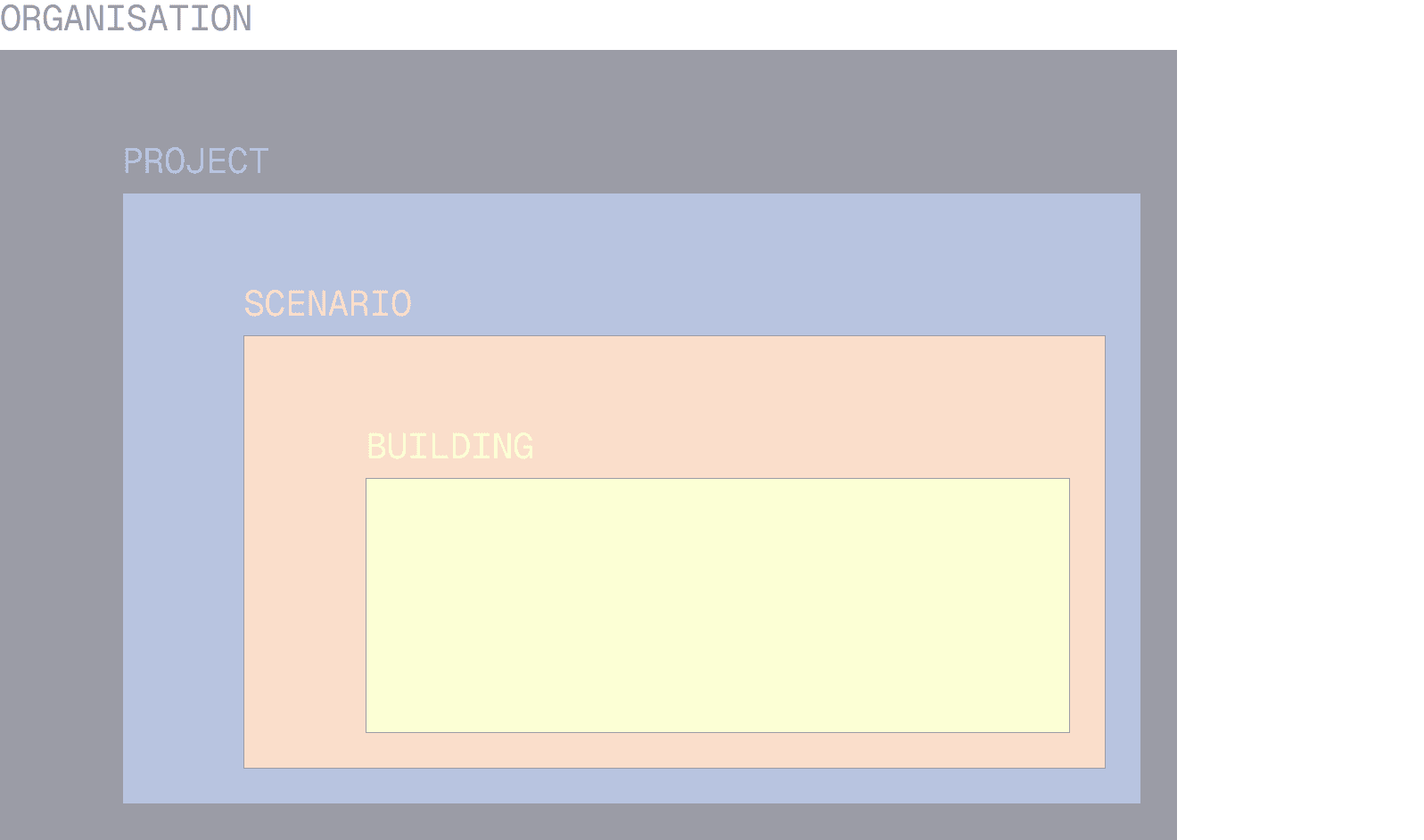
We established a UX framework to map how templates exist and behave across the four levels: Organisation, Project, Scenario and Building. This ensures users could understand where templates live, how they inherit across levels and apply in different context.
HIERARCHIES CHART
The templates can be accessed at all the different hierachies:
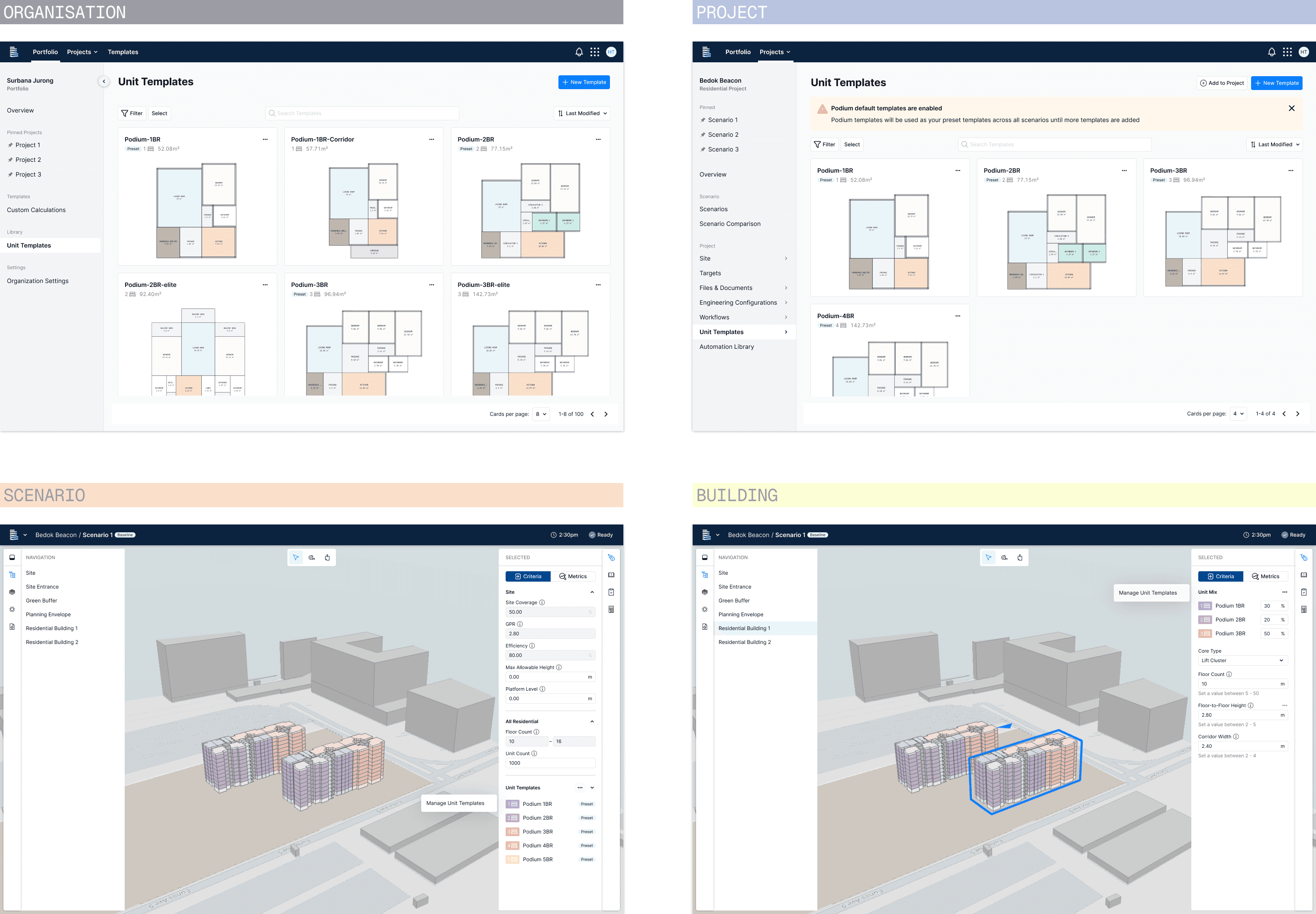
Unit Template Representation
To maintain a clear mental model, unit templates are represented consistently across the platform. I standardised the template card and interactions so they appear consistently across Organisation library, Projects and the Dialog, allowing users to recognise and use the templates seamlessly.
The unit templates dialog provides quick access from scenarios and mirrors the behavior of the libraries, reinforcing familiarity and reducing cognitive load.
REPRESENTATIONS
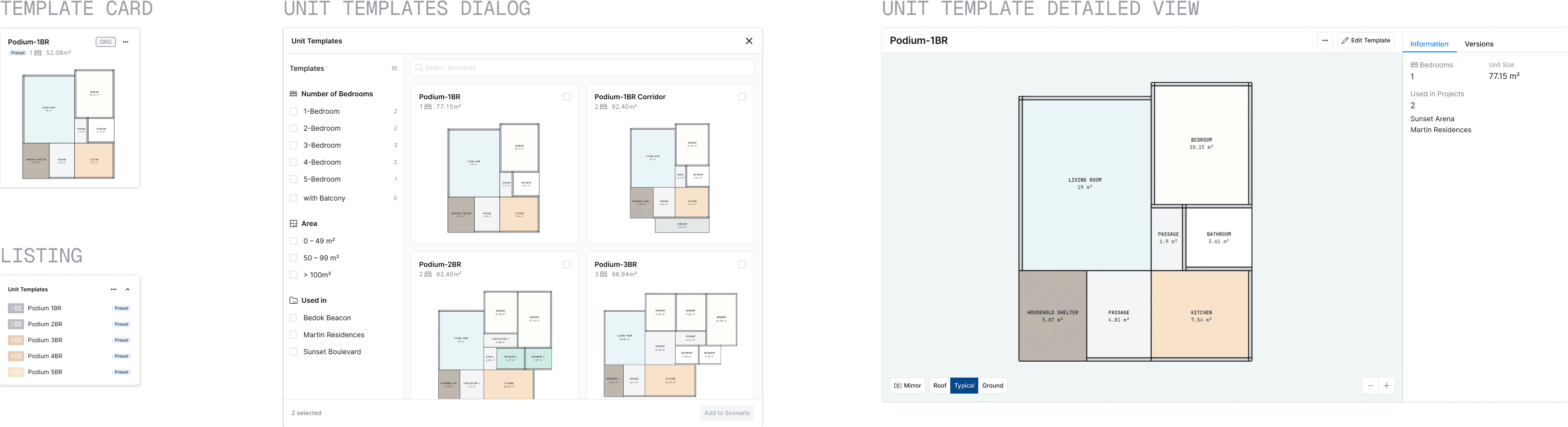
UNIT TEMPLATE CARD:
VIEW, SELECT, EDIT
The Spatial Editor
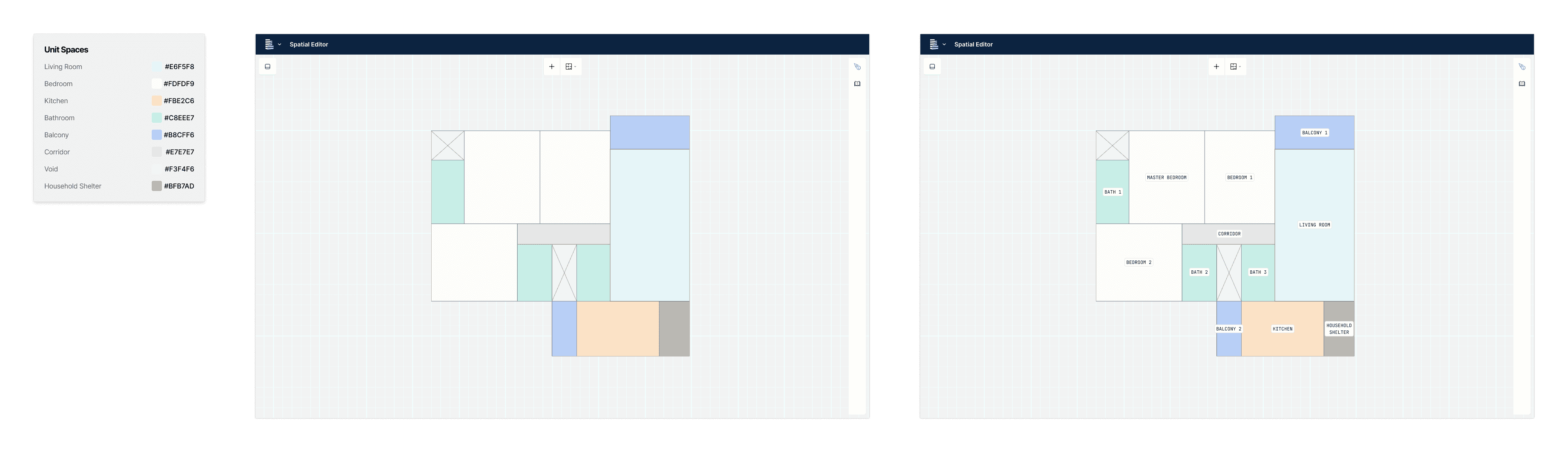
To enable users to create system-compatible templates while keeping modifications simple, we introduced the Spatial Editor – a dedicated environment where users can create and edit unit templates, with changes cascading across buildings, scenarios, and even up the hierarchy.
The focused editing space also allows for easy collaboration between the primary personas of architects and structural engineers who work on the same template simultaneously.
CREATE NEW TEMPLATE
ASSIGNING USAGE TO SPACES
COLOURS INDICATE USAGE
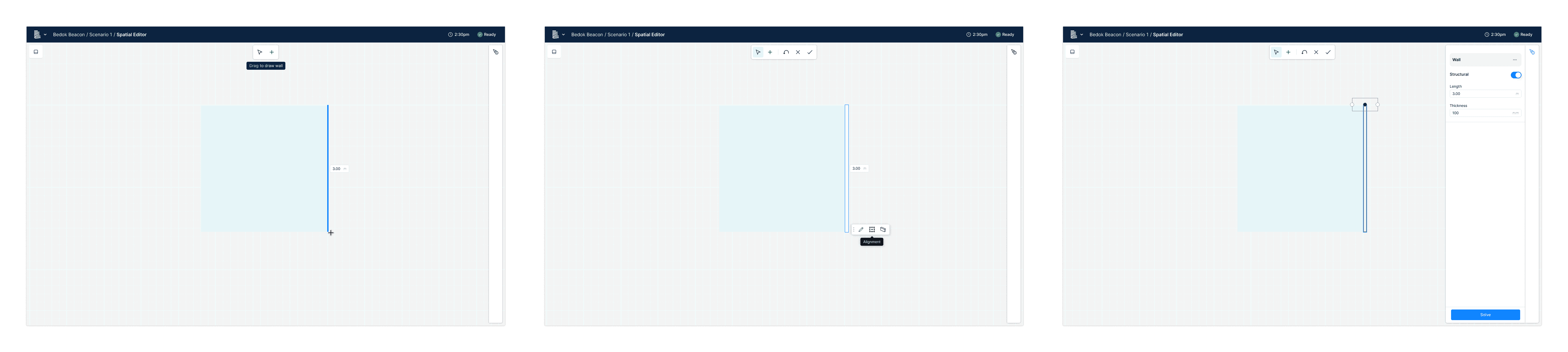
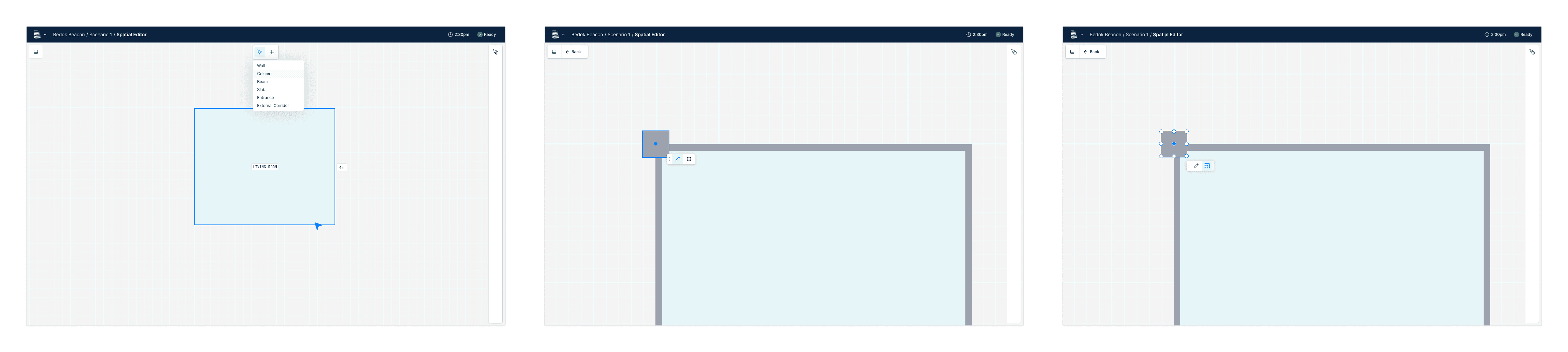
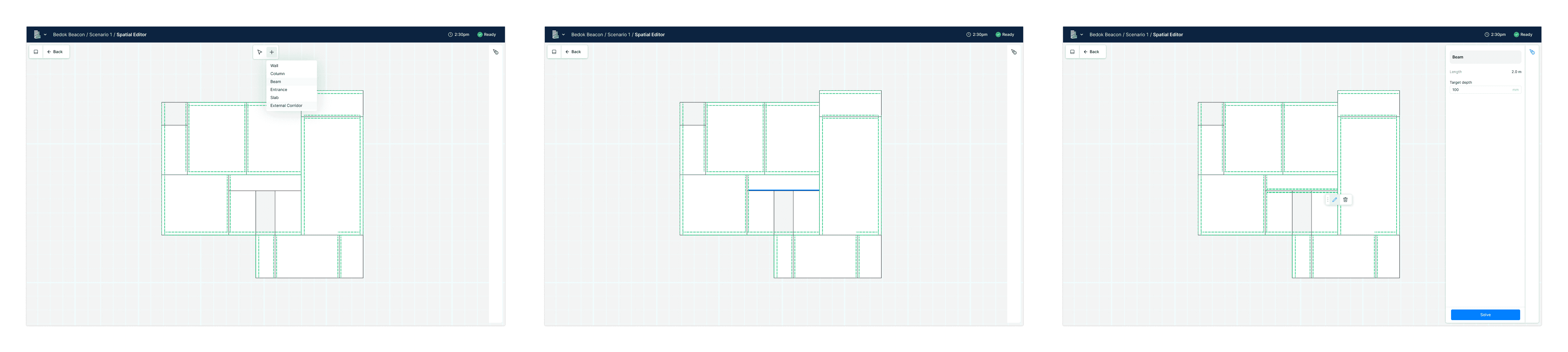
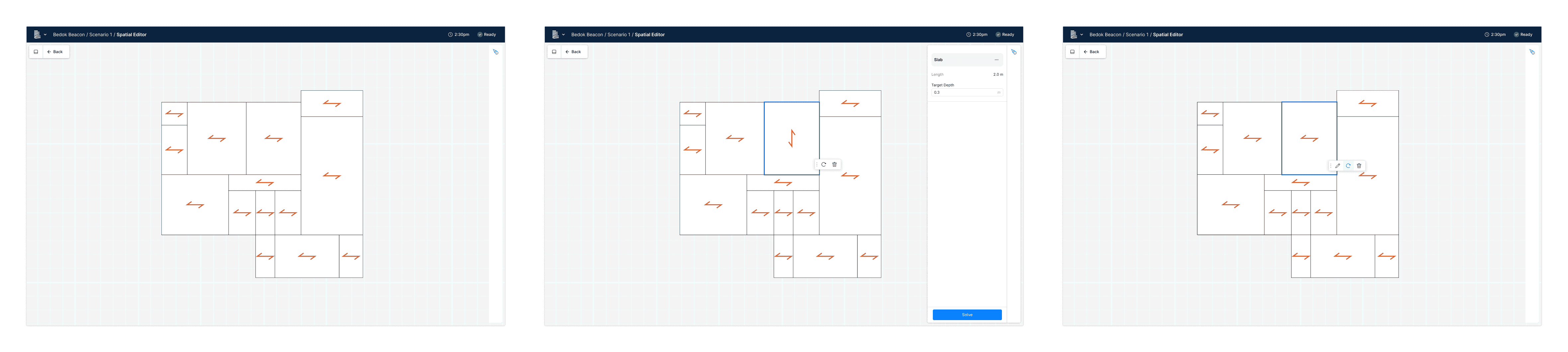
EDITING STRUCTURAL ELEMENTS:
WALLS, COLUMNS, BEAMS, SLABS
Integrating into the platform
These are some key flows highlighting how the unit templates system is being integrated seamlessly into the platform.
Unit template management can be handle
User can manage unit templates in Organisation and Project, and see those unit templates available in their scenarios, ready to use.
TEMPLATE MANAGEMENT IN ORGANISATION
Users can add template(s) to scenario and trigger the building to "re-solve" for best fit with new template(s).
ADDING TEMPLATE TO SCENARIO
What's next?
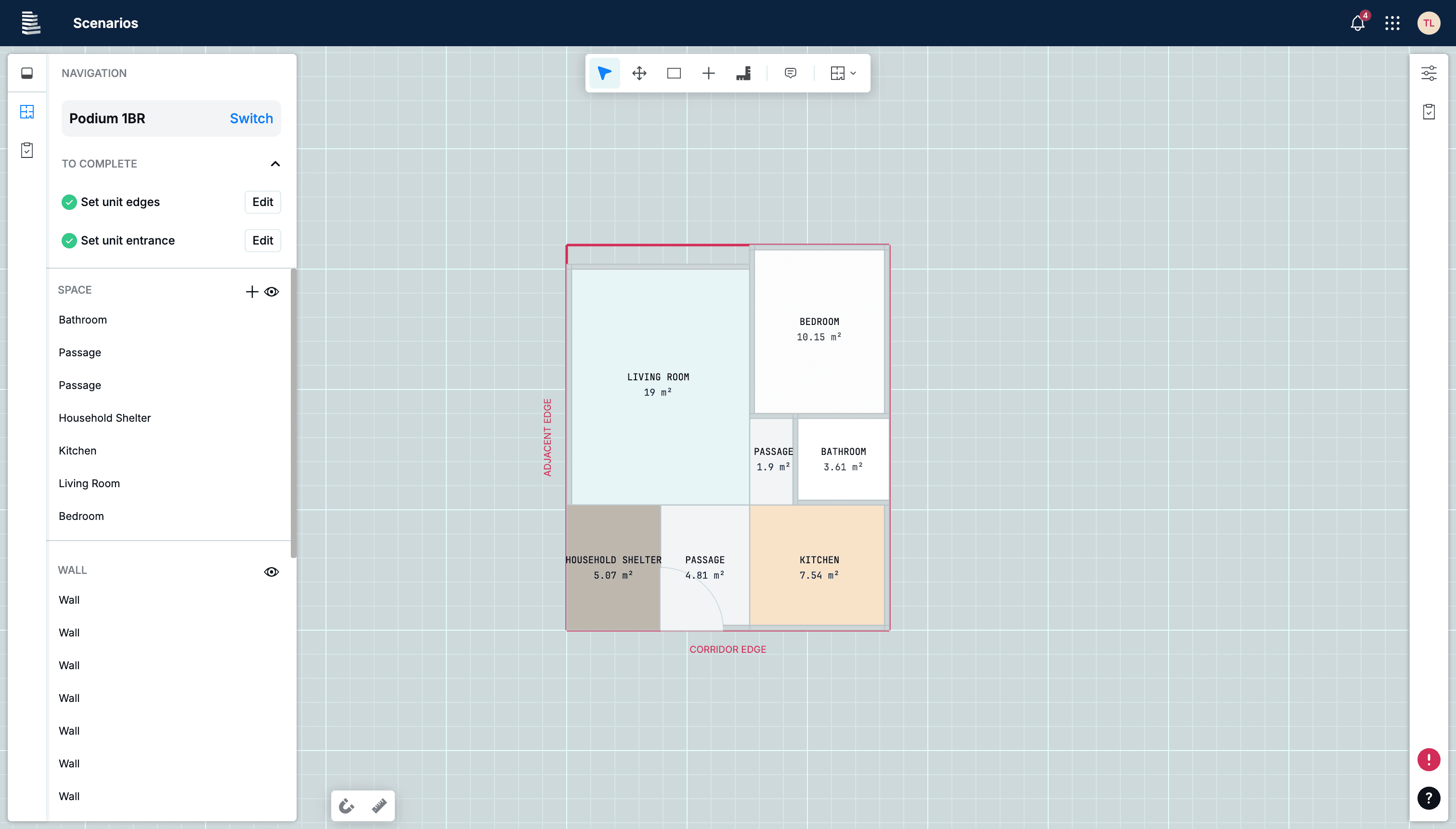
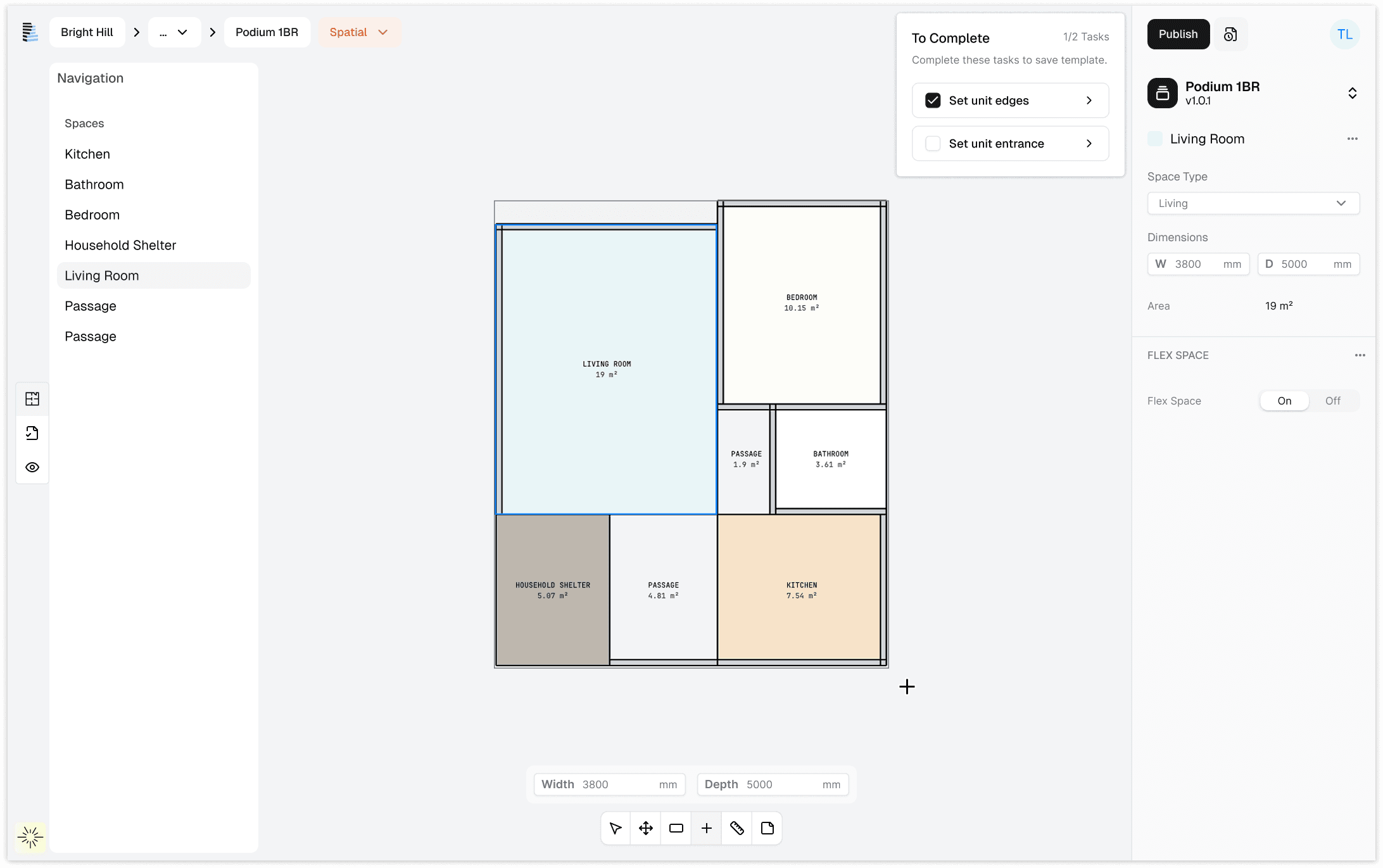
This feature continues to evolve as we make refinements with customer feedback. Recent iterations focus on improving clarity of hierarchy and aligning the experience with Podium's updated design system, UI v3.0.
Refinements include a cleaner interface to allow users to work with fewer distractions, an additional input field for quicker dimensions entry and a more robust onboarding guide.
Outcome
Moving deals forward
This feature became a core part of customer onboarding used by the sales team to convert hesitant prospects. Teams can experience immediate value with their templates on the platform, supporting sales conversations.
Early adoption & workflow impact
The feature is in active use across onboarded companies. Teams began creating and reusing their own template libraries across projects, replacing previously manual workflows. This reduced setup effort and allowed teams to work more efficiently across projects.
Learnings
Patterns that hold up
As priorities shifted over a long timeline, it became clear which patterns held up and which needed to evolve. For example, editing of structural elements had to be updated as more were added to ensure consistency is maintained and usability is prioritised.
System thinking across the platform
As this feature impacts every layer on the platform, it required careful consideration of dependencies, logic and inheritance. While it was tedious defining this upfront, it created alignment early and prevented friction during design and development further down the line.